
17 Best Travel Apps I Use as a Full-time Traveler (2026) - Travel Like Anna
From tracking expenses to booking flights, here are the 17 best travel apps I use as a full-time traveler to ensure my adventures are seamless. In 2002, I took my first trip overseas to study abroad in England. Smartphones didn’t exist. Texting wasn’t even a thing yet. While the…
From tracking expenses to booking flights, here are the 17 best travel apps I use as a full-time traveler to ensure my adventures are seamless.
In 2002, I took my first trip overseas to study abroad in England. Smartphones didn’t exist. Texting wasn’t even a thing yet. While the nostalgic part of me misses the days of paper maps and film cameras, smartphones do make travel and life a lot easier.
I recently wrapped up a seven-month trip abroad to three different continents, and these apps simplified my travels and life. They include currency converters and
to planning the
making your own postcardsand
perfect outdoor photoshoot. Most have free versions across phone platforms and many have web versions. Add downloading these apps to your digital packing list.
filing travel insurance claimsAffiliate links are used in this post. If you make a purchase, I earn a small commission at no cost to you, which goes toward the cost of maintaining this blog.
In this Article
The apps are organized in the following categories:
Expense Tracking & Currency Apps
Health, Safety & Logistics Apps
Photography & Entertainment Apps
Discount Travel Booking Apps
Klook (Free)
Klook (Free)
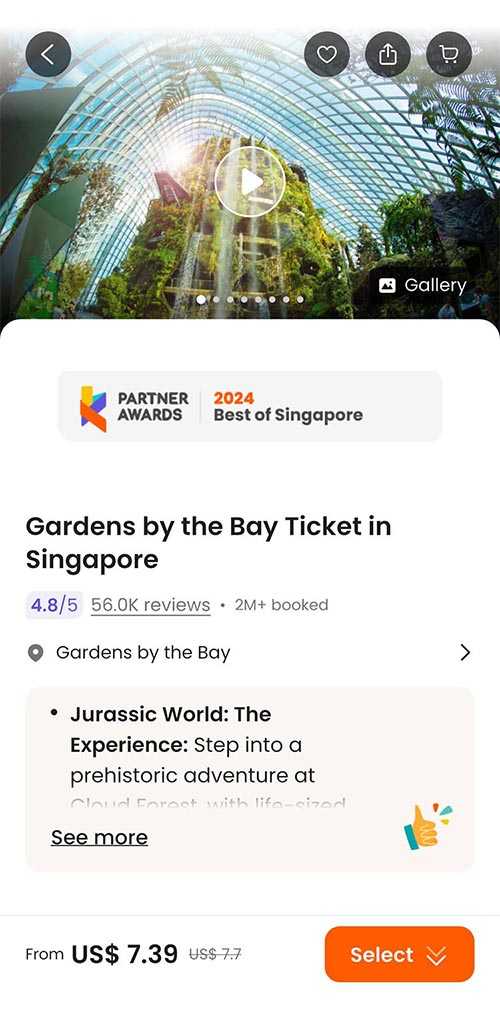 allows me to skip ticket lines!
I’ve used Klook to buy discounted admission tickets and transportation online across the world. It saved me roughly $10 on entry to Gardens by the Bay in Singapore and $13 on the cable car to the big Buddha in Hong Kong. I’ve also used it for private transfers in Vietnam.
The best part of the app is the tiered Klook Rewards program, where users earn KlookCash to redeem on future purchases. Additional points can be earned by posting reviews. The free loyalty program includes member-only rates and exclusive perks. Overall, I’m a big fan because it saves me money, and I never have to stand in long queues. Book on the app or directly on the website.
Booking.com (Free)
Booking.com(Free)
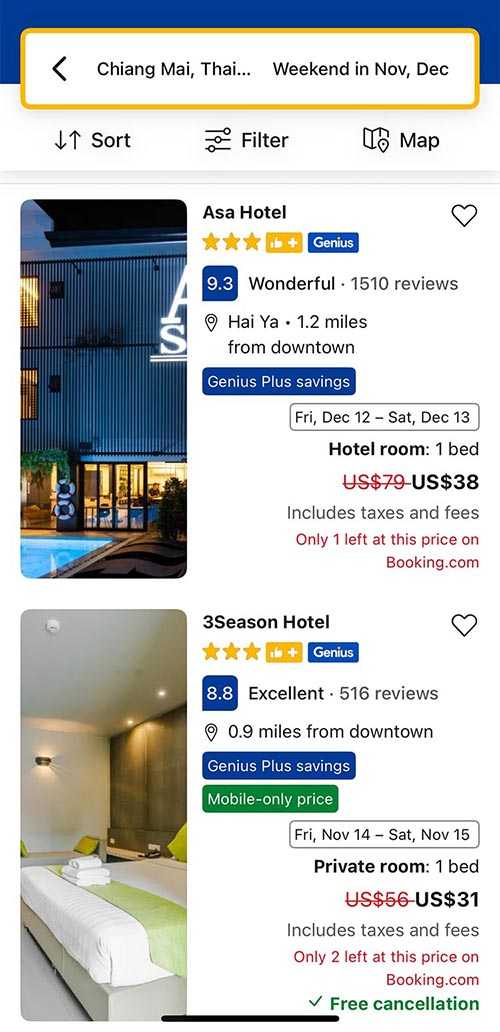 Take advantage of Booking.com’
s
cheaper mobile rates in the app.
The majority of the time, I find Booking.com has the lowest rates for accommodation, especially when booking on their mobile app where prices can be 15-30% cheaper than booking on their website. (I’ve written a deep dive into why mobile rates are cheaper.)
Now that I’ve reached tier three of their Genius loyalty program, I get even more discounts. When pricing accommodation, cars and even flights, it’s worth doing a quick mobile search on Booking.com’s app to compare with other platforms.
Finance Apps
Tricount (Free)
Tricount (Free)
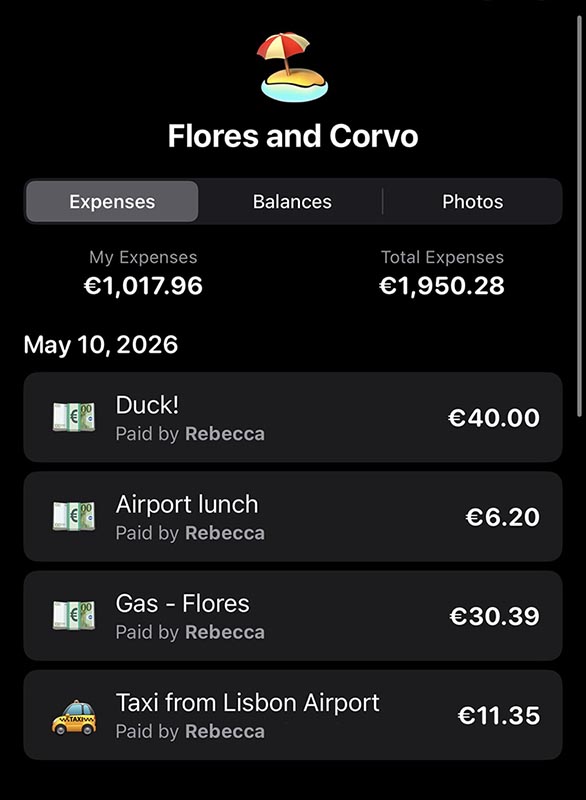 I used the Tricount app in May to track expenses on a nine-day trip in the Azores to Flores and Corvo.
Tricount is a free expense-splitting app that makes it easy to track travel expenses. I tested this recently on a week-long trip in the Azores with a friend, and it was seamless. The user-friendly interface includes functions to split expenses unevenly and upload receipt photos. A built-in calculator and currency converter tool do all the math for you. And, the best part is you can start using it instantly without creating an account. (To sync data across multiple devices, you will need to create an account.)
The app is owned by the Amsterdam-based bank bunq B.V. and is currently ad-free, which is why I stopped using Splitwise and exclusively use Tricount now.
Dollarbird (Paid)
Dollarbird (Paid)
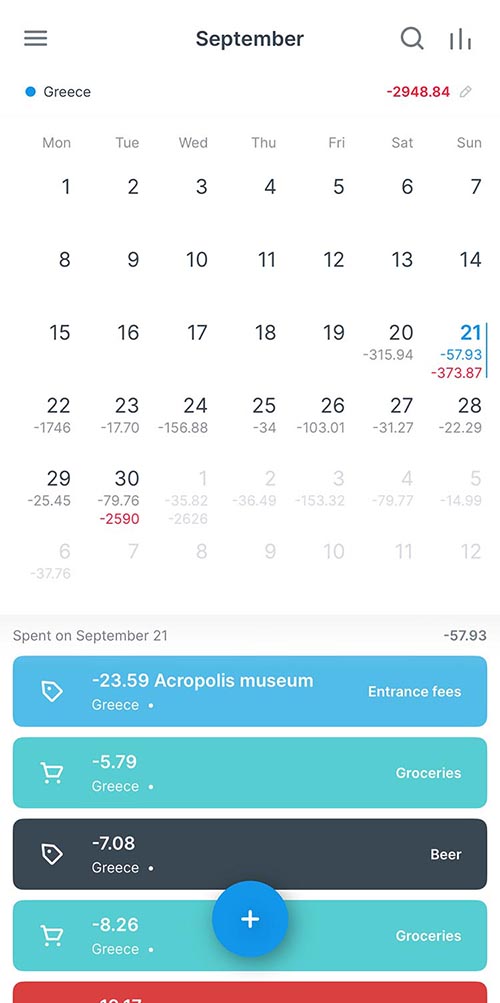 I’ve used Dollarbirdfor years to track my travel spending. I’m currently using it for my two-month Africa trip.
Dollarbird is an expense tracking app that I use to track my spending on my travels. (It’s $4.99/month or $39.99/year.) It can be used for your regular budgeting. I make custom categories and manually add my expenses. It provides a running balance summary and allows you to export the data to a spreadsheet. (I only use it to track expenses, not income.) I used this app to create the charts in my post about the cost of my two-month trip in Southern Africa.
XE Currency Converter (Free)
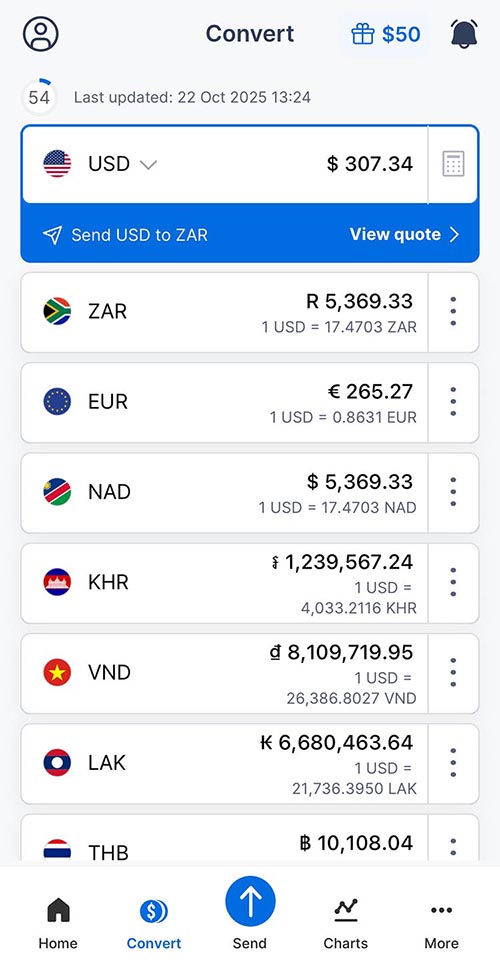 XE Currency Convertereven works offline with the last updated rate.
XE is my favorite currency app. It allows you to add up to 10 currencies and switch easily been them. The best part is that it even works offline using the last updated rate. I use this all the time to check the cost of things to make sure I’m not overspending.
TIP: If you have the option to pay in different currencies, check the rate for both to see which is cheaper. It’s almost always cheaper to pay in the local currency than in USD, which I dig into deeper in my travel banking post.
iPhone Calculator App Currency and Unit Conversion (Free)
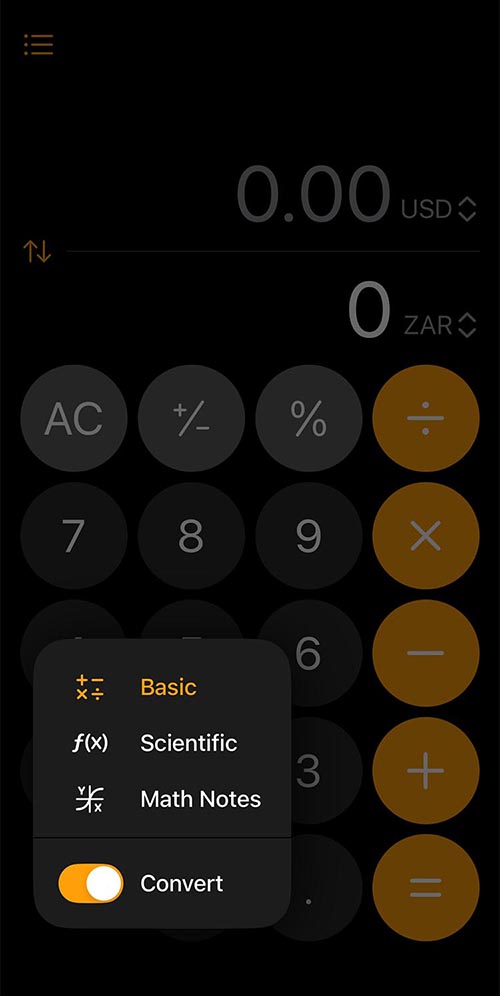 The iPhone calculator app has a feature that allows you to convert currency and units.
When Apple introduced iOS 18 in September 2024, it included a conversion function in the calculator that allows you to convert categories ranging from currencies to units (speed, time and weight). To access the feature, click on the calculator symbol to the left of the 0 button, then turn on Convert. Use the arrow to choose the unit or currencies to convert from.
Genius Scan (Free)
Genius Scan (Free)
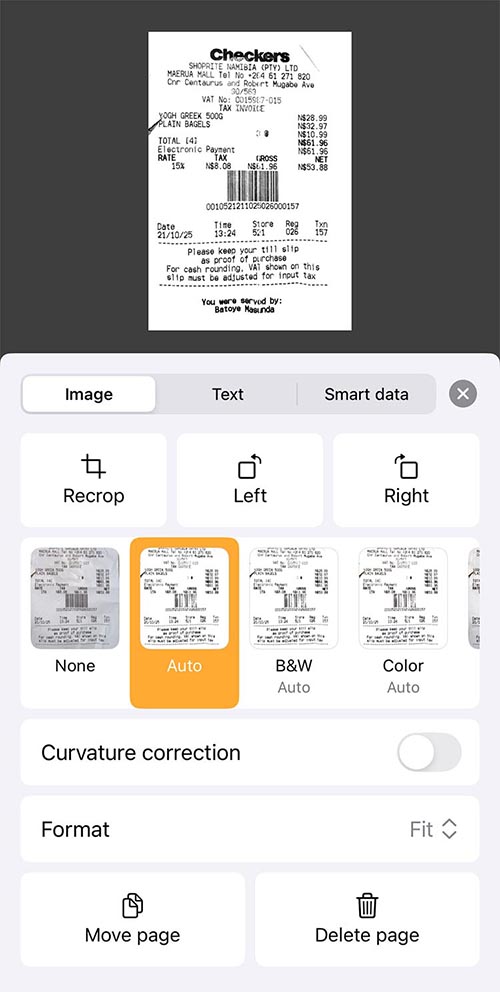 Genius Scanhelps sort my receipts for taxes and work travel. I export the files to my Mac as a backup.
This PDF-scanner app is super helpful. It allows you to photograph anything – receipts, maps, brochures—and make a PDF file from the documents. It’s the best for
tracking expenses for business travel. You can take photos through the app or import them from the camera roll on your phone. I find it useful for both tracking receipts when I travel and sending them to Dropbox. I also use it to photograph brochures to reduce my paper usage. The PDFs can be easily sent via email, AirDrop and messaging apps.
1Password (Paid)
1Password (Paid)
 1Passwordhelps manage passwords, bank accounts and loyalty programs. It’s secure and allows you to copy and paste numbers for online shopping.
1Password is my favorite app of all time, even when I’m not traveling. The app securely stores and organizes all your passwords in one place. It’s easily searchable for what you need. I keep EVERYTHING in it – bank details, frequently flyer accounts and email passwords. It syncs across devices easily and is very secure. You use one password to open the app. (TIP: Use a password that you’ve never used elsewhere.) I use it to copy and paste my credit card number when shopping online.
While the app isn’t free, it’s inexpensive – $2.99/month or $4.99 for a family of 5. There’s a free 14-day trial. (Full disclosure: I got this app for free through an old job, so I don’t pay for it.) While Apple has introduced the free Passwords app, I find 1Password to have a better interface and organization system when it comes to credit cards and membership numbers, etc.
Communication Apps
Airalo (Free)
Airalo
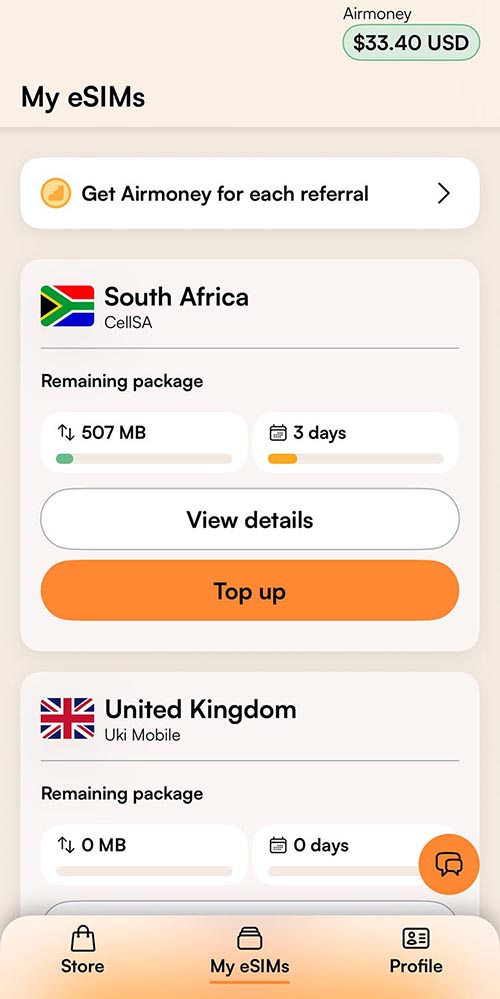
Airalo eSIMs make it easy and affordable to stay connected while traveling.
eSIM cards are an affordable way to stay connected abroad. The Airalo app makes it easy to purchase, install and monitor your balance while traveling across over 200 countries and regions. Airalo was the world’s first eSIM store and often has the best partner networks abroad.
Use promo code NEWTOAIRALO15for 15% off your first purchase. Existing users can save 10% with AIRALOESIM10.
Google Voice (Free)
 Google Voice is an easy way to call U.S.-numbers for free while abroad.
As someone who travels most of the year, two-step verification is the bane of my existence. Google Voice has changed this—I’ve started using it as my phone number for two-step verification. (If you have trouble with codes coming through on the app, log in on your computer.) Google Voice allows you to have a
second phone number to use for calls, texts and voicemail.To set up, you need an existing Google account and a phone number. U.S. and Canadian users can choose their phone numbers. Google Voice is also available in
select European countries.
You can also call U.S. numbers for free so it’s easy for me to call family members or even airline customer service, etc. (Google Voice has been my replacement for the now-defunct Skype. RIP.)
Google Translate (Free)
Google Translate (Free)
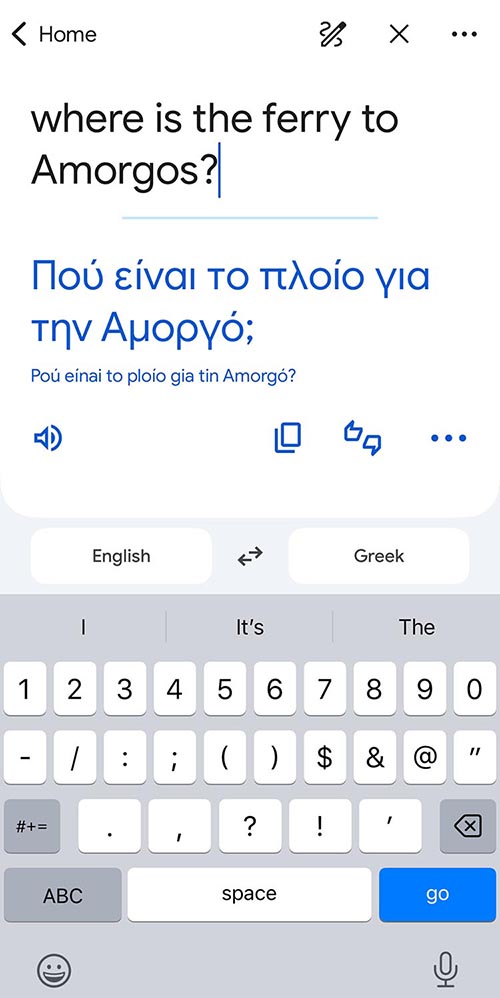
Google Translate has been a lifesaver. I simply type a phrase and show it to my taxi driver or anyone I need to communicate with. It also lets you save phrases to use later. There’s a camera option so you can translate labels, which is helpful if you’re trying to find lotion that doesn’t have whitening cream in it in Asia. (It’s nearly impossible in Vietnam.) My favorite app in Spanish speaking countries is SpanishDICT, it allows you to translate phrases and also provides conjugations.
WhatsApp (Free)
WhatsApp (Free)
The chances are high that you are already using WhatsApp. If not, then you need to download this text and voice message app NOW. The app is owned by Meta and works across all phone platforms and locations. It’s a great way to connect with friends and even business when you are traveling. Outside of the U.S., it’s the primary means of personal and business communications, from booking dinner reservations to taxis. You’ll need a phone number to register.
Postagram (Free;$1.60-$2/postcard)
Postagram
 This is a postcard I sent my Aunt with one of my own photos of my globetrotting gnome, Alfred. I’m a big fan of the Postagram app and how you can customize everything including delivery dates so I never miss a birthday!
Let’s be honest—everyone appreciates real mail! I’ve spent countless hours on trips writing postcards to friends and family, and even more time waiting in endless post office lines just to buy stamps! (I spent thirty minutes in Greece recently waiting in line to buy postcard stamps, which were 2 Euros each!)
I’ve used the Postagram app for years to send printed postcards using my photos. The app allows you to customize the background design and colors. The most important feature is that it allows you to schedule a delivery date, so I never miss a birthday or holiday.
While I still send real postcards when I can, Postagram has been the next best option. International locations cost $3/card, while U.S. addresses start at $2. The price decreases if you buy in bulk. The printing quality is excellent. (Full disclosure: I did have an issue once when a postcard did not arrive, and they resent it for free.)
Health, Safety & Logistics Apps
Maps.me (Free)
Maps.me (Free)
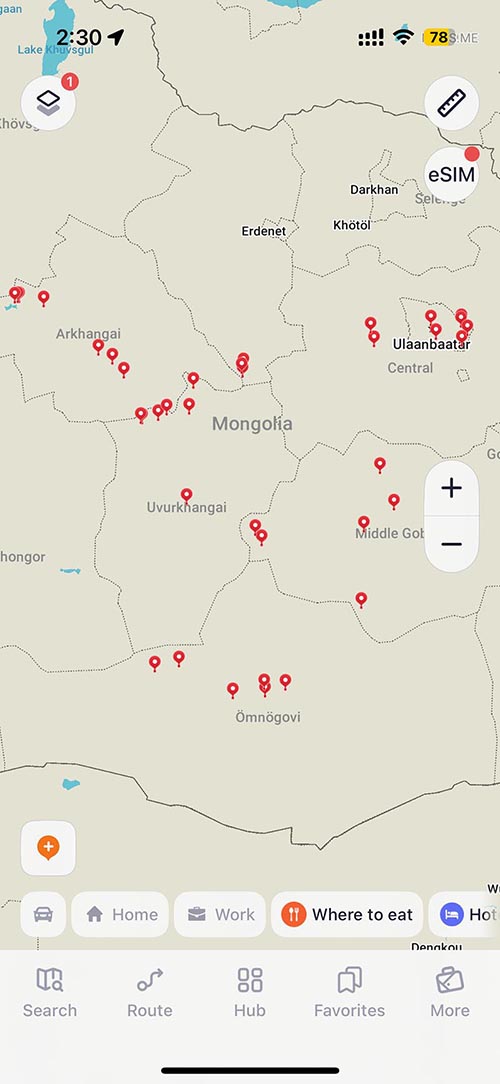 I used Maps.meto track all the places we stopped on my Mongolia trip. It’s a great, customizable offline map tool.
The offline GPS app Maps.me is a must-have for all hikers and anyone traveling to areas without phone service. Simply download a map of where you are going, and the app will help you navigate turn-by-turn efficiently without phone service. It allows you to create and edit routes, which many hikers share online. Read the app user guide before using it in remote locations. The app was initially completely free, but now, they’ve added in-app purchases and the ability to make travel bookings. The free version allows 10 downloaded maps at a time.
I loved using this for my Mongolia trip, which was 90% off-road, to label all the locations where we stopped. I also used it for my Namibia road trip over the winter.
SafetyWing Travel Medical Insurance
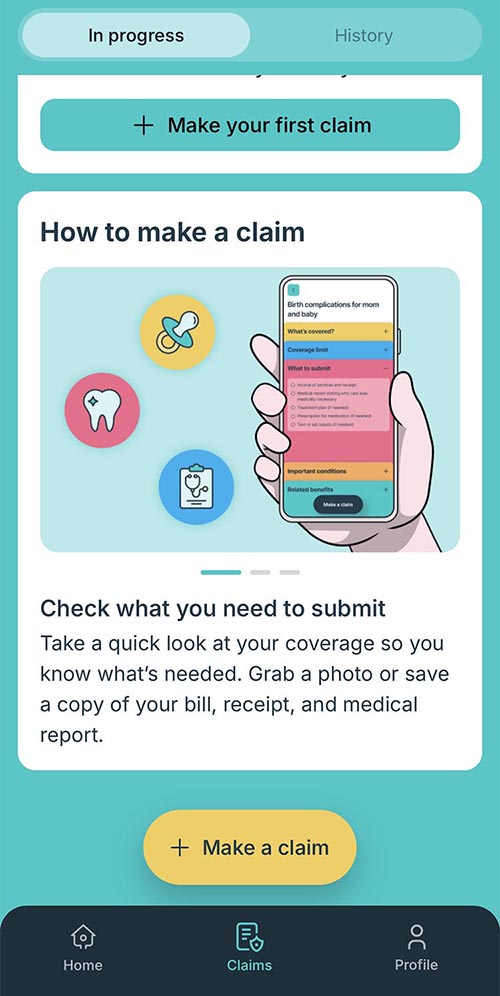 SafteyWing offers affordable travel medical insurance for 180+ countries.
SafetyWing is currently my go-to company for flexible travel medical insurance. They offer two plans: Essential and
. (I always use the
CompleteEssential plan.) The new claims process can be done in the app in just five minutes. For more details, check out my
NordVPN (Paid)
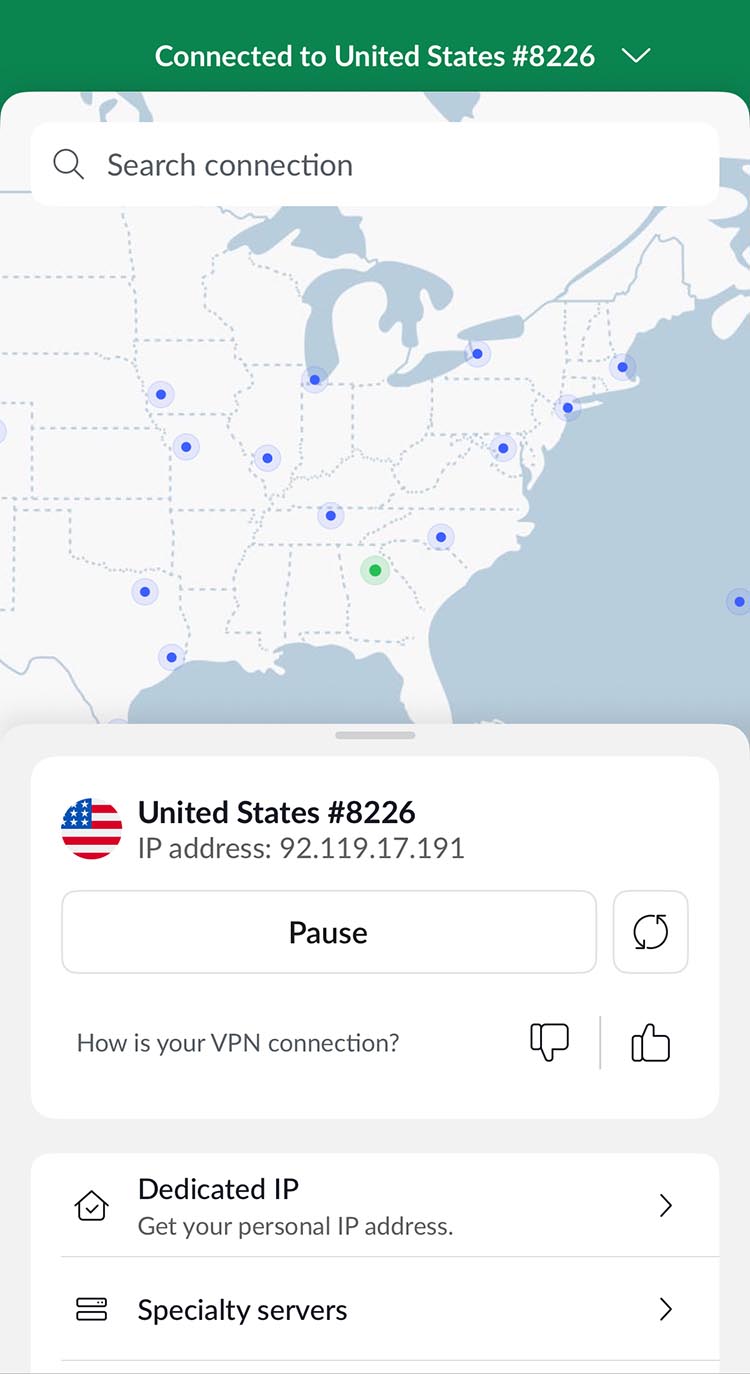 makes it easy to safely browse the internet from any corner of the globe.
I started using NordVPN about four years ago to protect my data and identity online while traveling both in the U.S. and abroad. It just makes it safer to browse the internet, check up my banking and even to use streaming services, like Disney+, which sometimes are location dependent. I usually buy a two-year subscription that works on both my Mac and iPhone.
AirVisual (Free)
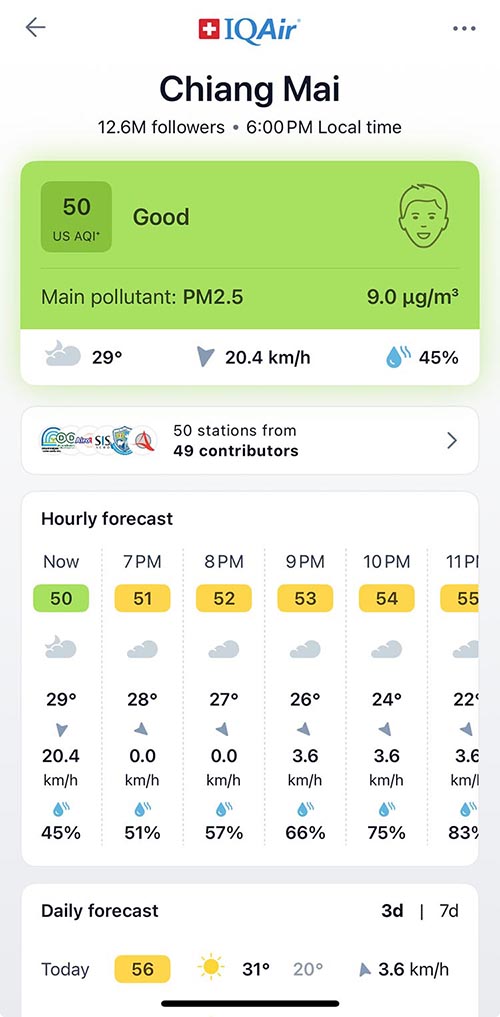 AirVisual makes it easy to track the air quality anywhere you are traveling.
If you’re traveling anywhere in Asia, then I recommend the free AirVisual app to check the air quality. It uses sources from government agencies to tell you the
current air quality. It’s really helpful in places with pollution (India) or burning seasons like Chiang Mai, where you might need to wear masks! It works worldwide.
Photography & Entertainment Apps
TPE Photo Ephemeris (one-time fee of $9.99)
TPE Photo Ephemeris
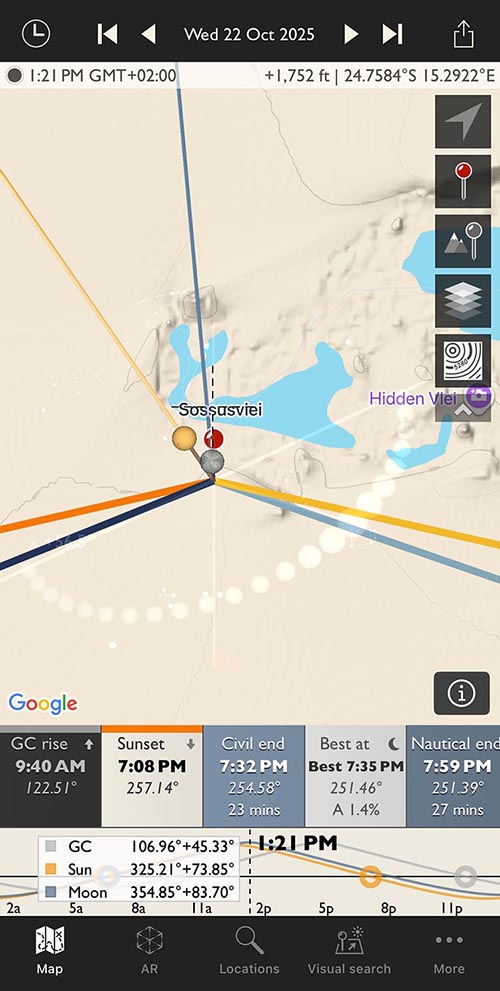 TPE is my go-to app for planning outdoor photo shoots based on the sun’s location.
This photography app is life-changing for photographers because it allows you to plan outdoor shoots in natural light. TPE shows where the light will fall on any part of the globe both day and night. The AR feature lets you visualize a shoot by overlaying the features over your camera app in a location. The app has a one-time $9.99 fee and additional in-app purchases.
Hoopla (Free)
Hoopla (Free
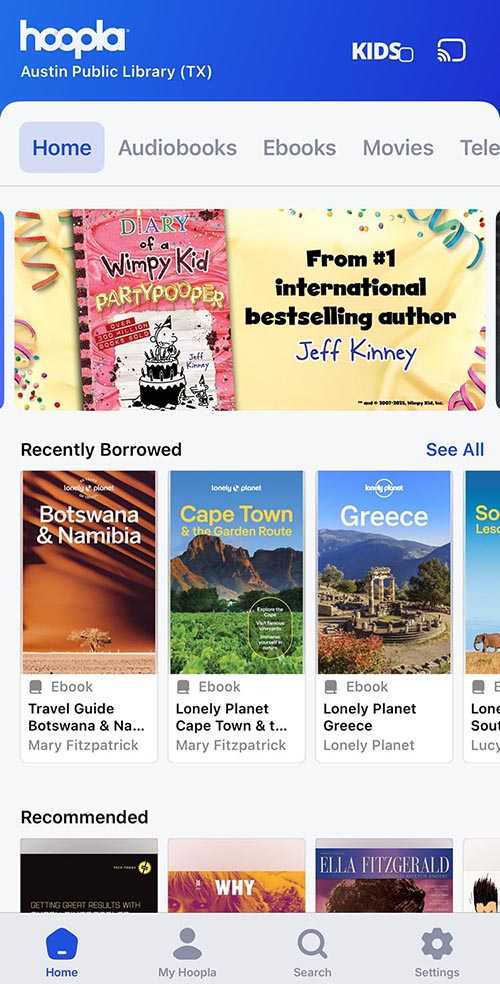 I read a lot more books thanks to the Hoopla app and my public library membership.
Hoopla is an online platform that allows you to read eBooks and listen to audiobooks for free with your public library membership across North America. It also works on web browsers. I use it a lot for travel guides and audiobooks when I travel. There’s a monthly limit for the number of books you can check out that varies based on your library membership. I get four per month from the library in Austin. This is also great to use when you aren’t traveling.